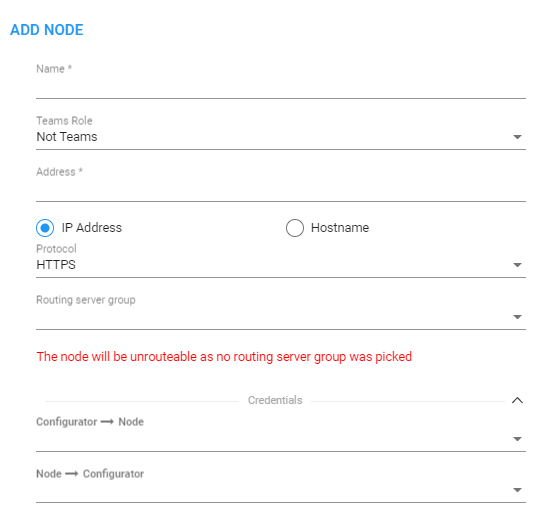
Node Credentials
Operators can apply credentials per Node for ARM Configurator-Node communications.
| ● | Only operators whose role is configured as SECURITY_ADMIN can make changes to credentials. |
| ● | Before changing the Node’s credentials in the ARM Network page, the Web credentials must be updated in the Node itself. See your Node’s User’s Manual for more information. |
| ➢ | To apply credentials per Node for ARM Configurator - Node communications: |
| 1. | Open the Node Credentials page (Settings > Administration > Node Credentials). |
Node Credentials
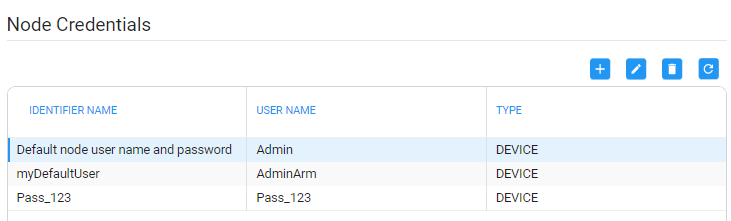
| 2. | Click Add. |
Add Node Credentials
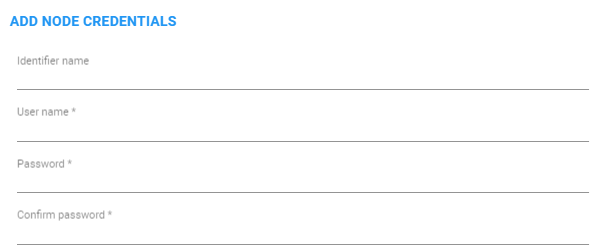
| 3. | Configure the fields using the table as reference. |
Add Node Credentials
| Setting | Description |
|---|---|
|
Identifier name |
Enter a name to identify this set of device credentials. |
|
User name |
Enter the user name. |
|
Password |
Enter the password. |
|
Password confirm |
Re-enter the password. |
| 4. | Click OK. |
| ● | After adding credentials you can Edit or Delete. |
| ● | You can apply one of the previously configured settings to a specific Node (or use the default setting) in the Edit Node screen (Network > Map > <select the specific node> > Edit). Expand the ‘Credentials’ section first. |
Edit Node - Credentials - Configurator > Node
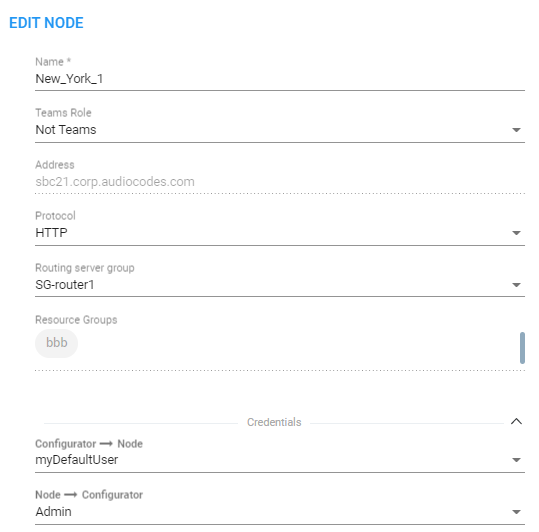
| 5. | [Optionally] You can apply the same to 'Add Node' and 'Offline Planner'. |